Plate reading
Read Arabic and Latin plates at gates and roads.
GovernmentLogisticsReal estate
Eagle Auto reads Arabic and Latin license plates, logs every vehicle that enters and leaves, and can open the gate only for the cars on your list. It works at gates, parking lots, logistics yards and roads.
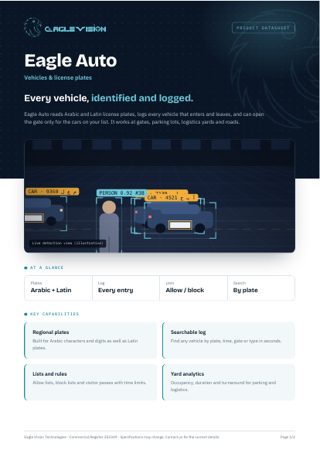
Everything in one PDF to share with your team: key capabilities, all 36 use cases, the technical overview and how to reach us. Downloads in the language you are reading.
Read Arabic and Latin plates at gates and roads.
Open the barrier automatically for registered vehicles.
Alert security the moment a listed vehicle appears.
A complete log with image, time and gate for every vehicle.
Register visitor plates with a time-limited pass.
Live free and occupied spaces per zone and floor.
Flag vehicles parked longer than allowed.
Show drivers free spaces by zone and floor.
Detect unauthorized vehicles in reserved or accessible bays.
Alert when vehicles block lanes, exits or other cars.
Classify cars, trucks, buses and motorcycles.
Search and filter vehicles by color.
Detect stopping in forbidden areas and driving against traffic.
Count vehicles by lane, direction and hour.
Measure order-to-pickup time per car in drive-thru lanes.
Estimate speed on internal roads and flag violations.
Detect vehicles that do not yield at crossings.
Measure how long trucks spend from gate in to gate out.
Know which docks are free, occupied or overstayed.
Log when your own fleet leaves and returns, per vehicle.
Read container and trailer codes at port and yard gates.
Measure truck queues and waiting time at gates.
Capture images of every vehicle at entry and exit to settle damage disputes.
Time each vehicle spends in service and maintenance bays.
See how many cars are waiting at the wash and for how long, and know when to open another bay.
Measure how long every car spends in each wash bay and how many cars each bay finishes per day.
Find dirt or spots left after washing and send the car back before the customer sees it.
Count every car washed by type and compare with the POS to catch unbilled washes.
Track how long each repair takes on the lift against the standard time for that job.
See which technicians are working on cars and which are idle while cars wait.
Measure how long customers wait in the lounge and flag cars that are ready but not yet handed over.
Recognize returning cars by plate at the gate and show their service history and what is due.
Alert when a car moves toward a pit while a technician is inside it.
Track mechanics and customers waiting at the parts counter and how fast they are served.
Spot empty bins and shelves for fast-moving parts so they are restocked in time.
Alert when someone carries a part to the exit without passing the cashier.
No use cases match this combination yet. Tell us your requirement and we can build it.
Talk to us →Every Eagle Auto deployment runs on the same Eagle Vision platform: the same dashboard, the same alerts, the same reports, in Arabic and English.
Add your NVR or DVR, or paste an RTSP link. Eagle scans the recorder and pulls in every camera automatically.
Draw the areas that matter on the camera image: a restricted door, a cashier queue, a kitchen counter, a site entrance.
Choose who gets notified, when, and how. Each alert arrives with the snapshot and moment that triggered it.
Daily reports per branch, per camera and per use case. See trends, compare sites and act on what the numbers show.
Tell us about your site and the problem you want solved. We will come back with a demo plan built around it.