Product counting on the line
Count every bottle, can, box or part that passes, per line and per shift.
Food & beveragePharmaIndustry
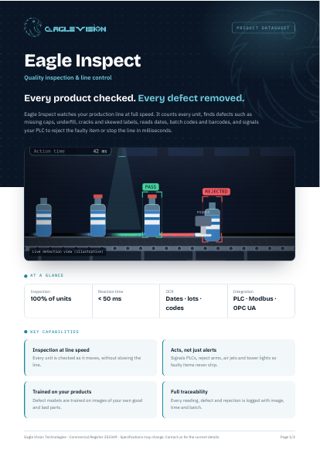
Eagle Inspect watches your production line at full speed. It counts every unit, finds defects such as missing caps, underfill, cracks and skewed labels, reads dates, batch codes and barcodes, and signals your PLC to reject the faulty item or stop the line in milliseconds.
Everything in one PDF to share with your team: key capabilities, all 24 use cases, the technical overview and how to reach us. Downloads in the language you are reading.
Count every bottle, can, box or part that passes, per line and per shift.
Live units per minute against target, with slowdowns flagged immediately.
See actual output against the shift plan, hour by hour.
Check every carton or blister has the right number of items before sealing.
Count cases and layers on each pallet before it leaves the line.
Detect products piling up or falling over and alert before the line stops.
Find scratches, dents and marks on metal, plastic and painted surfaces.
Spot cracked bottles, chipped tiles and broken parts.
Verify every bottle and jar is filled to the right level.
Detect caps that are missing, tilted or not fully closed.
Check labels are present, straight, in position and undamaged.
Measure parts and reject anything outside your tolerance.
Compare print colors with the approved master on every unit.
Find missing, misplaced or wrong components on circuit boards.
Detect open seals, wrinkles and leaks on pouches and packs.
Read expiry dates and batch numbers and check they are correct and legible.
Read and grade every barcode and QR code before shipping.
Read engraved or printed serial numbers and log every part.
Make sure the right label is on the right product during changeovers.
Trigger a pusher, air jet or diverter to remove each faulty item from the line.
Send results to your PLC over Modbus, OPC UA or digital I/O.
Stop the line automatically when a critical defect such as glass is found.
Light the tower lamp and notify the line operator with the image and cause.
Defects by type, line and shift to find the root cause fast.
No use cases match this combination yet. Tell us your requirement and we can build it.
Talk to us →Every Eagle Inspect deployment runs on the same Eagle Vision platform: the same dashboard, the same alerts, the same reports, in Arabic and English.
Add your NVR or DVR, or paste an RTSP link. Eagle scans the recorder and pulls in every camera automatically.
Draw the areas that matter on the camera image: a restricted door, a cashier queue, a kitchen counter, a site entrance.
Choose who gets notified, when, and how. Each alert arrives with the snapshot and moment that triggered it.
Daily reports per branch, per camera and per use case. See trends, compare sites and act on what the numbers show.
Tell us about your site and the problem you want solved. We will come back with a demo plan built around it.