People counting
Accurate in and out counts per entrance, hour and branch.
RetailReal estateHotels & venues
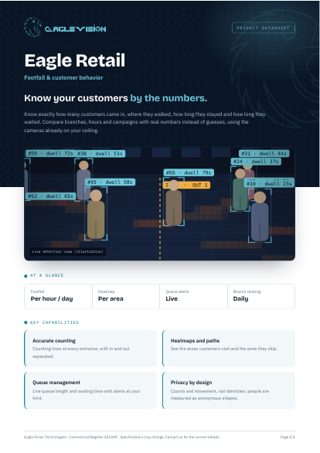
Know exactly how many customers came in, where they walked, how long they stayed and how long they waited. Compare branches, hours and campaigns with real numbers instead of guesses, using the cameras already on your ceiling.
Everything in one PDF to share with your team: key capabilities, all 25 use cases, the technical overview and how to reach us. Downloads in the language you are reading.
Accurate in and out counts per entrance, hour and branch.
See which areas attract customers and which are ignored.
Live count of people inside compared with the maximum capacity.
Plan staff shifts around real visitor peaks.
Count passers-by who stop at your window display.
Understand how visitors move between entrances, floors and stores.
Separate families and groups from single shoppers in your counts.
Detect congestion at doors, escalators and corridors.
Measure how long customers stay at each display or section.
Alert when the cashier queue exceeds your limit.
Track the average waiting time at counters and service desks.
Combine footfall with your sales to see the real conversion per branch.
Count fitting room visits and waiting time.
Compare traffic and dwell time before and after a campaign.
Track kiosk usage and how many customers wait for them.
Understand who your shoppers are by age group and gender, per hour and branch. Counted anonymously: no faces or identities are stored.
Alert when a counter or service point is left without staff.
Measure how much time staff spend in customer areas.
Measure the time from a customer walking in to the first contact with staff.
Alert when help desks or counters stay unattended during busy hours.
Rank branches by visitors, waiting time and engagement.
Spot empty shelves and gaps so staff restock before sales are lost.
Check that displays and promotions are set up as planned in every branch.
See which cashier lanes are open, busy or idle through the day.
Confirm doors open, lights are on and staff are present at opening time.
No use cases match this combination yet. Tell us your requirement and we can build it.
Talk to us →Every Eagle Retail deployment runs on the same Eagle Vision platform: the same dashboard, the same alerts, the same reports, in Arabic and English.
Add your NVR or DVR, or paste an RTSP link. Eagle scans the recorder and pulls in every camera automatically.
Draw the areas that matter on the camera image: a restricted door, a cashier queue, a kitchen counter, a site entrance.
Choose who gets notified, when, and how. Each alert arrives with the snapshot and moment that triggered it.
Daily reports per branch, per camera and per use case. See trends, compare sites and act on what the numbers show.
Tell us about your site and the problem you want solved. We will come back with a demo plan built around it.