Staff-to-child ratio per room
Count adults and children in every room and alert when the ratio drops below your required level.
Nurseries & kindergartens
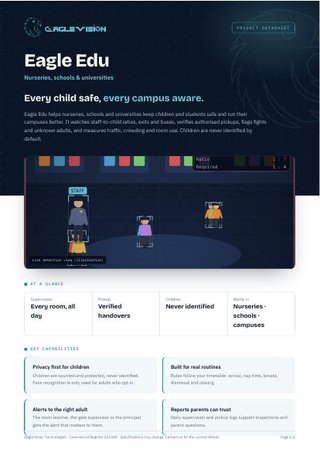
Eagle Edu helps nurseries, schools and universities keep children and students safe and run their campuses better. It watches staff-to-child ratios, exits and buses, verifies authorised pickups, flags fights and unknown adults, and measures traffic, crowding and room use. Children are never identified by default.
Everything in one PDF to share with your team: key capabilities, all 26 use cases, the technical overview and how to reach us. Downloads in the language you are reading.
Count adults and children in every room and alert when the ratio drops below your required level.
Alert staff when a child approaches an exit, gate or fence line without an adult nearby.
Detect a child in a room or play area with no adult present.
Check the bus after the last stop and alert if a child is still on board.
Spot children climbing furniture or fences and falls in playgrounds and classrooms.
Alert when a child enters a hazard zone such as the kitchen, a pool edge or a staircase.
Confirm an adult is present in the nap room for the whole rest period.
Check that staff wash their hands after every nappy change.
Confirm every room is empty before the building is locked.
Recognise the registered parent or guardian at pickup and log every handover. Children are not identified.
Teachers and staff check in and out with face recognition, per campus and per shift.
Count students in every lecture and compare with enrolment, without identifying anyone.
Register visitors at reception and know where they are on campus and when they left.
Open gates for staff and student cars by plate and track parking occupancy.
Detect fights and aggressive behaviour in playgrounds, corridors and buses.
Alert when an adult who is not staff or a registered visitor is inside the school.
Spot students on rooftops, in labs without supervision or in corridors during lessons.
Detect people entering school grounds, dorms or labs after hours.
Flag phone use and unusual behaviour in exam halls for the invigilator to review.
Measure queues in the drop-off zone and flag double parking at the school gate.
Watch crowd density at gates during dismissal and open extra exits in time.
See which rooms are used, how full they are and which sit empty.
Show free seats in libraries and study areas in real time.
Check goggles and lab coats in chemistry and engineering labs.
Measure queue length and waiting time in cafeterias and canteens.
Detect empty rooms with lights or air conditioning left on.
No use cases match this combination yet. Tell us your requirement and we can build it.
Talk to us →Every Eagle Edu deployment runs on the same Eagle Vision platform: the same dashboard, the same alerts, the same reports, in Arabic and English.
Add your NVR or DVR, or paste an RTSP link. Eagle scans the recorder and pulls in every camera automatically.
Draw the areas that matter on the camera image: a restricted door, a cashier queue, a kitchen counter, a site entrance.
Choose who gets notified, when, and how. Each alert arrives with the snapshot and moment that triggered it.
Daily reports per branch, per camera and per use case. See trends, compare sites and act on what the numbers show.
Tell us about your site and the problem you want solved. We will come back with a demo plan built around it.